Built for Players

Your games.
Your money.
Your control.

SL Sweep brings your player account, balance, game access and essential player tools together in one simple experience.
One player account
Games in one place
Player support
SL Sweep player dashboard
+
Player balance Access from your dashboard
G
Game access Browse your game floor
SL
SL Sweep Player account
Ready
Your balance
$0.00
+ Add Funds
Cash Out
G
Game Floor Browse your games
A
Account Manage player settings
?
Support Find help when needed
One account Your player tools together
Simple access Games, balance and support
About SL Sweep

What is SL Sweep?

SL Sweep is a player-focused platform that brings your account, balance, supported games and essential player tools into one simple experience. Instead of moving between different places for everyday actions, SL Sweep keeps the main parts of your player journey within reach.

01
One player account Access your main player tools through one SL Sweep account.
02
Balance access Review the balance and actions available from your dashboard.
03
Game access Browse supported games from the SL Sweep game floor.
04
Player support Find account help and support options when you need them.
How SL Sweep Works

Play your way in a few simple steps.

Create your account, manage your balance, choose your games and use SL Sweep's player tools from one simple experience.
SL Sweep welcome SL Sweep dashboard SL Sweep add funds SL Sweep games SL Sweep game access SL Sweep cash out SL Sweep account
Real SL Sweep interface
01 / GET STARTED

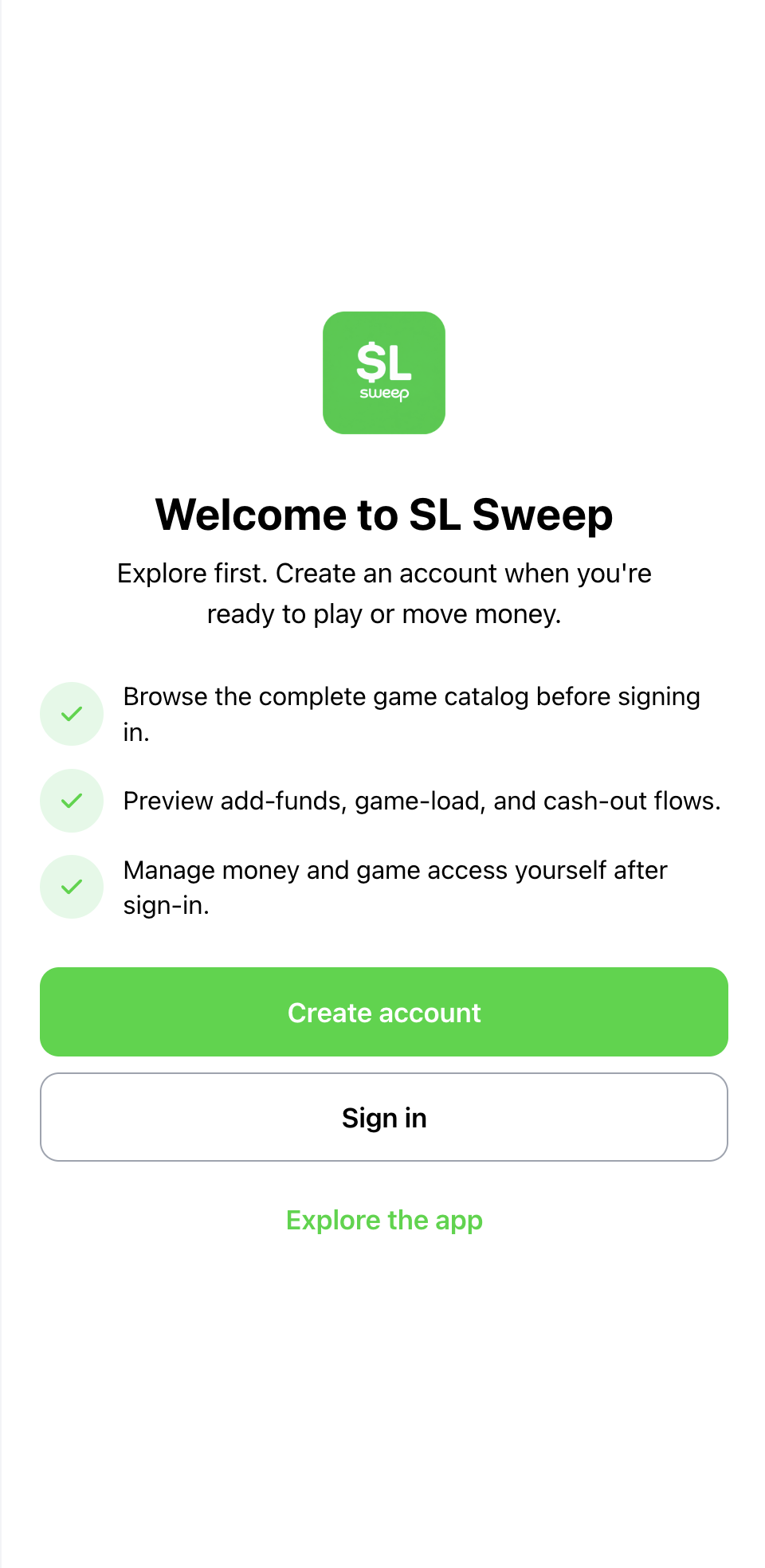
Create your SL Sweep account.

Start with a simple player account. Once your setup is complete, you're ready to explore games and access the main SL Sweep player features.

Simple signup Guided setup
02 / HOME

Everything starts from your dashboard.

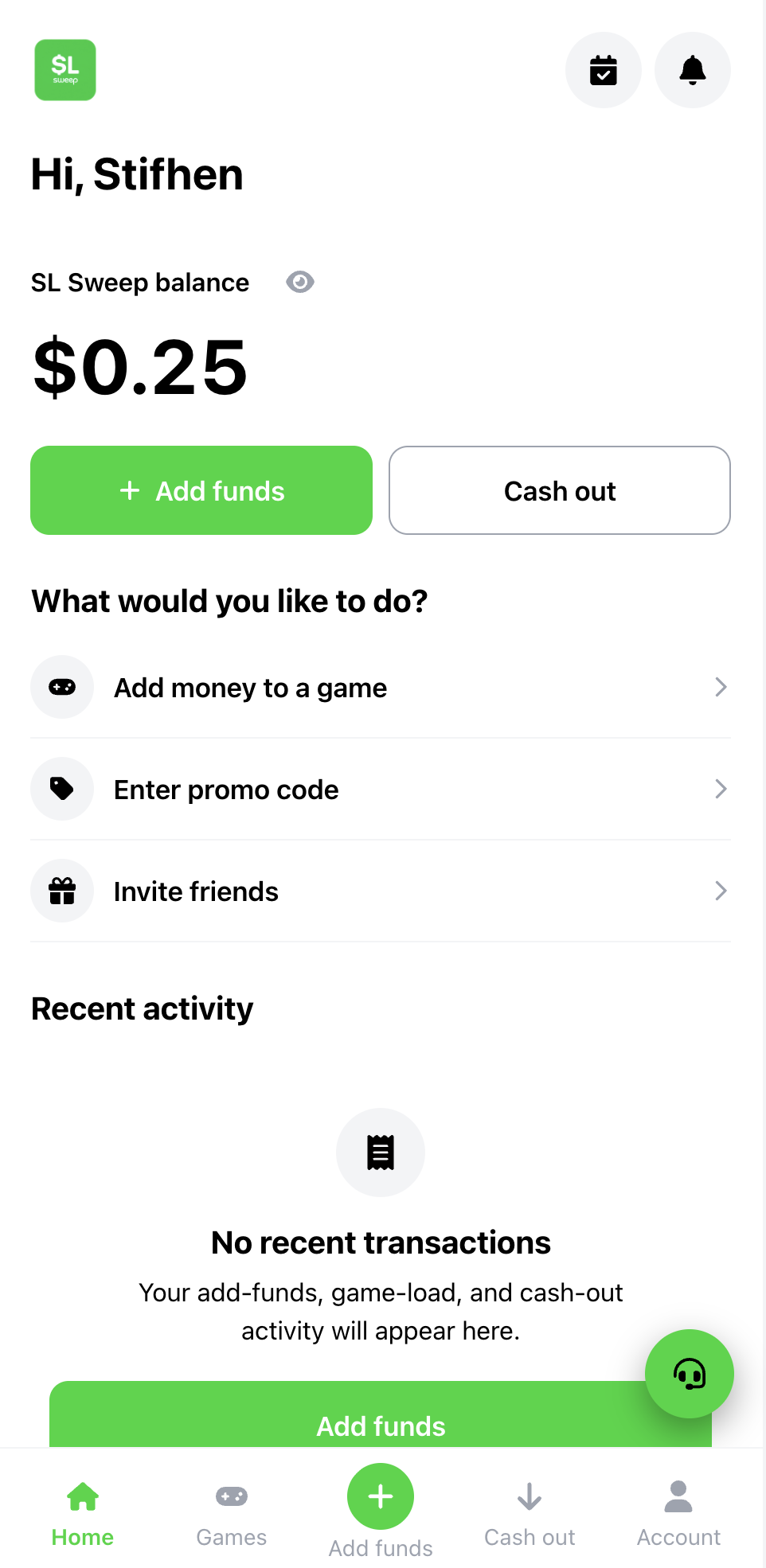
See your SL Sweep balance, add funds, cash out, access games and review your recent activity from one central player dashboard.

Balance Quick actions Recent activity
03 / ADD FUNDS

Add funds in a clear, simple flow.

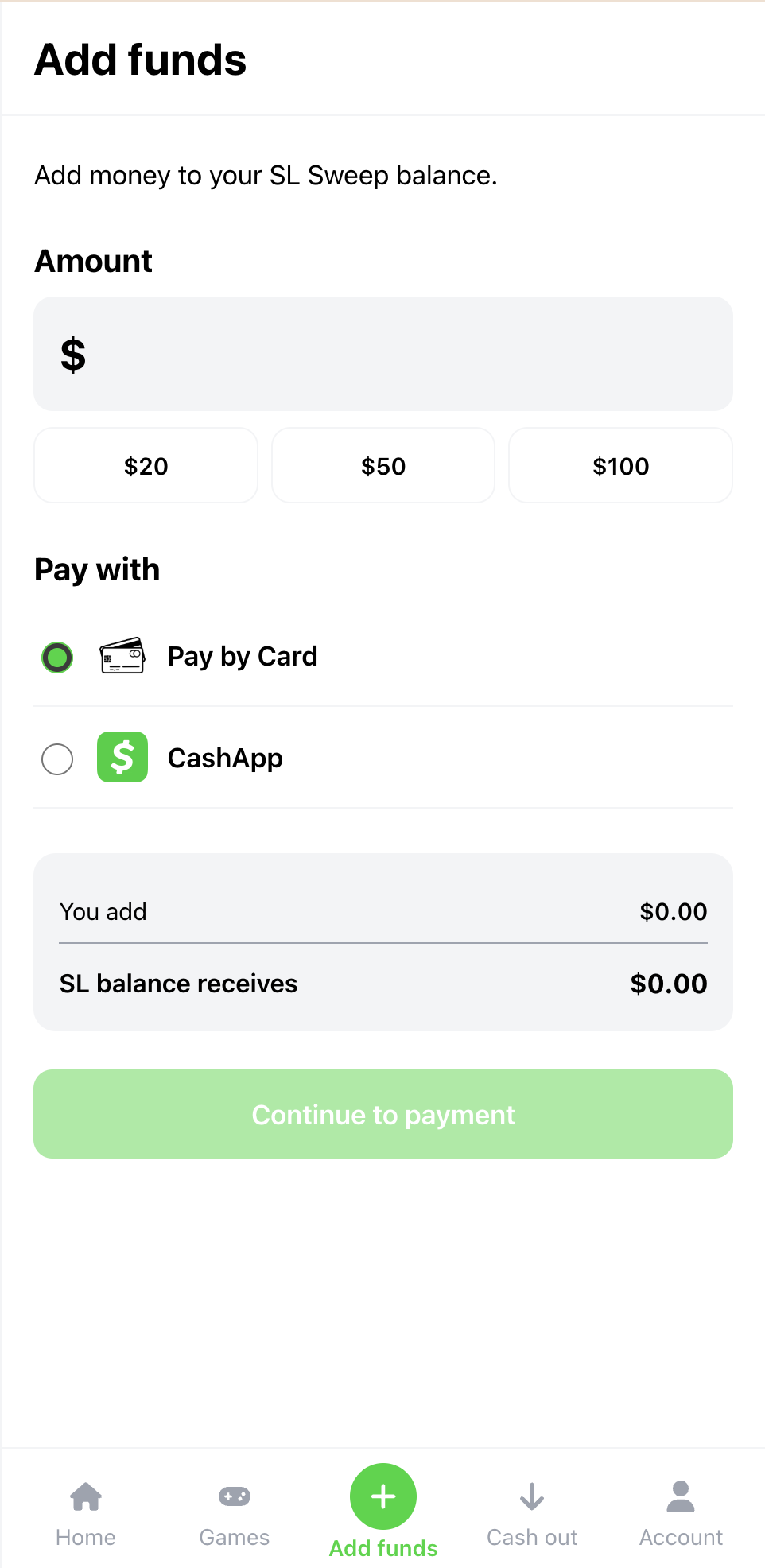
Enter your amount, choose an available payment option and continue through the add-funds process from inside your SL Sweep account.

Choose amount Payment options Balance summary
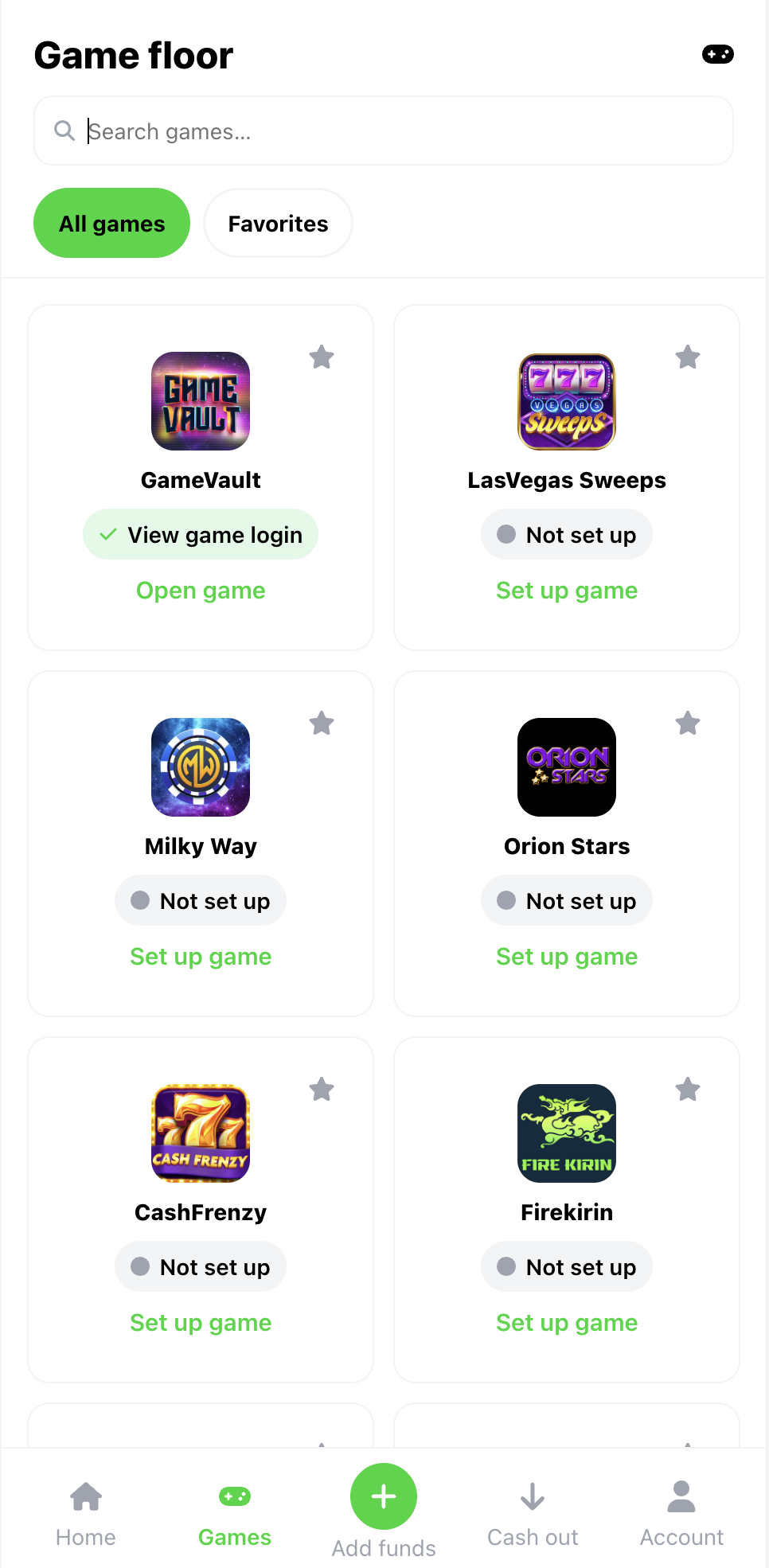
04 / GAMES

Choose where you want to play.

Browse the game floor, search supported games, save your favorites and see which game accounts are already ready for you.

Game catalog Search Favorites
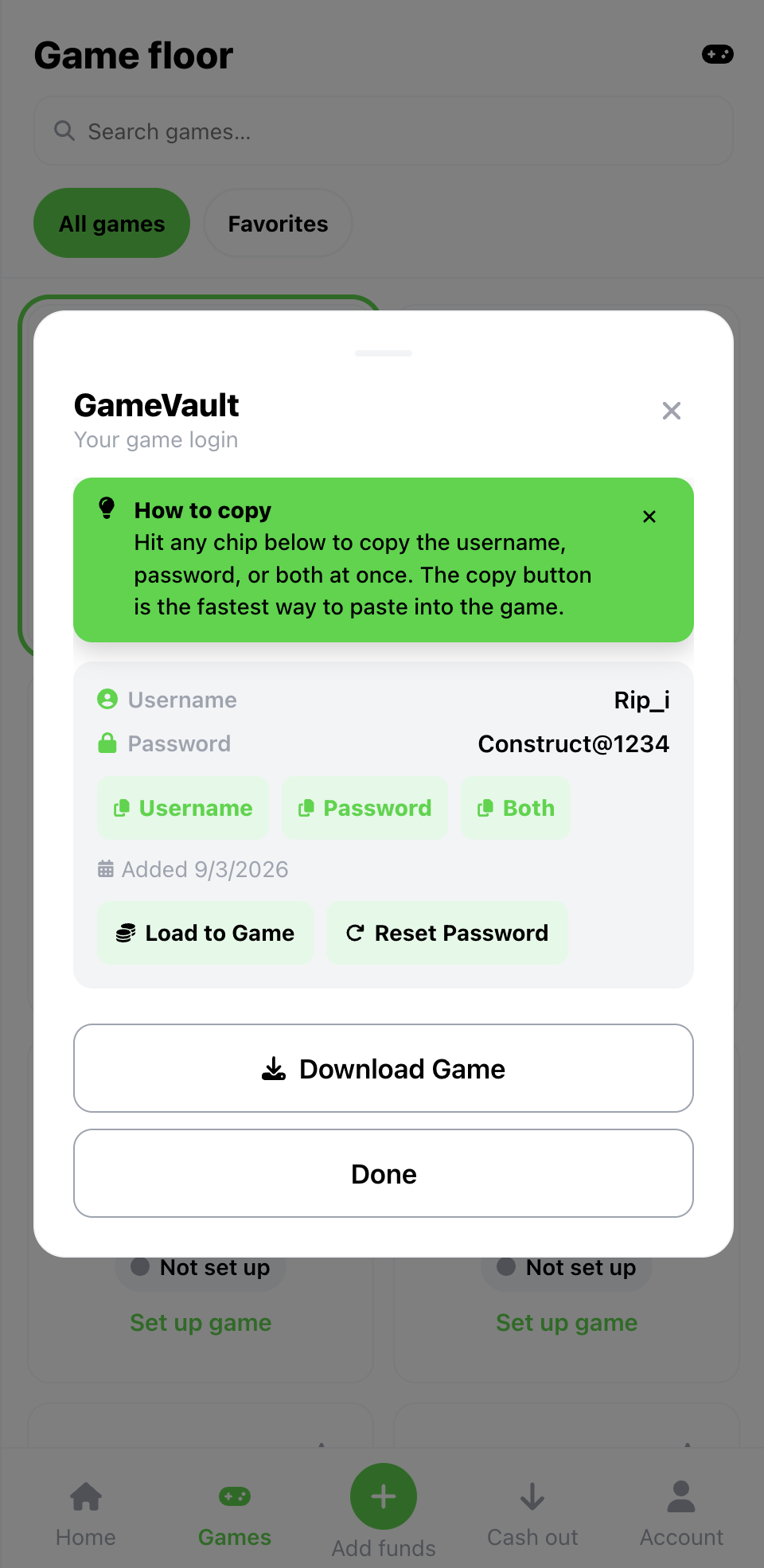
05 / GAME ACCESS

Access your game details when needed.

View your game login details, copy the credentials you need and use the available game actions from the same SL Sweep experience.

Game login Quick copy Load to game
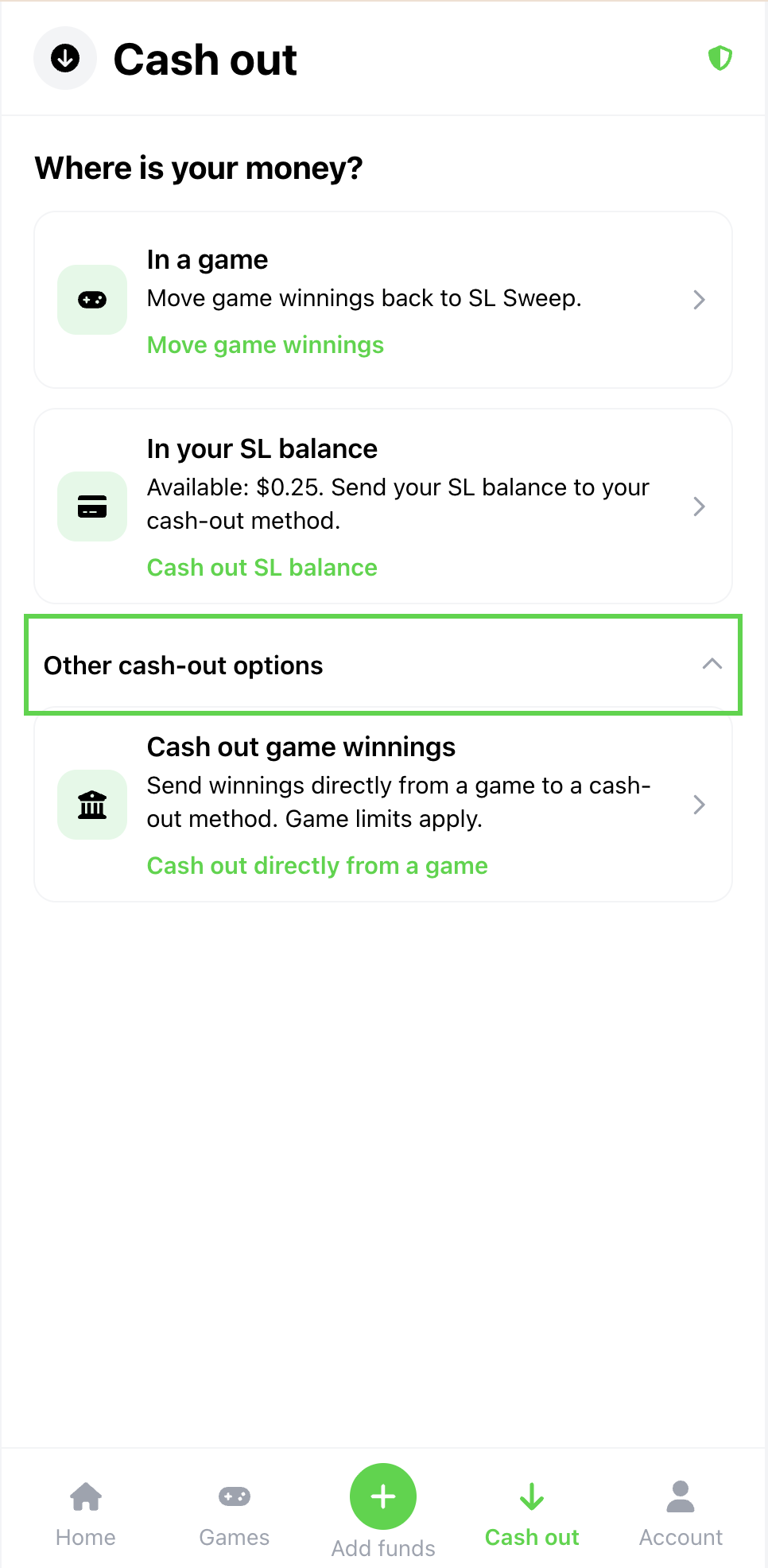
06 / CASH OUT

Move your balance when you're ready.

Use the cash-out flow to move eligible game balances back to SL Sweep or continue to the available cash-out options shown in your account.

Game balance SL Sweep balance Cash-out options
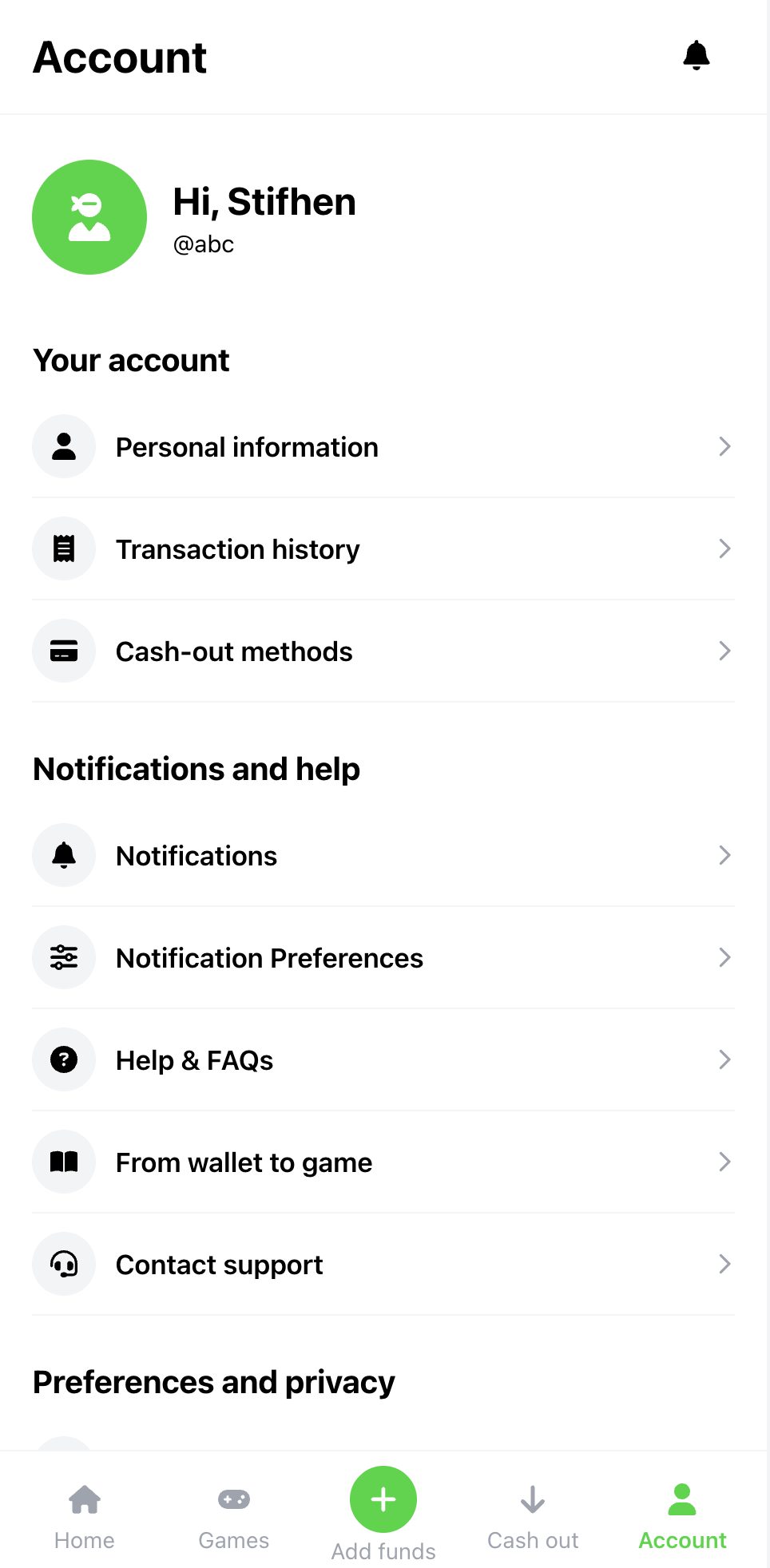
07 / ACCOUNT

Manage your account in one place.

Review account details, transaction history, cash-out methods, notifications, support and other player settings directly from your account area.

Transactions Settings Support
SL Sweep welcome
01 / 07

Create your SL Sweep account.

Set up your player account and get ready to access SL Sweep games and player tools.

SL Sweep dashboard
02 / 07

Your SL Sweep dashboard.

See your balance, games and key player actions from one simple home screen.

SL Sweep add funds
03 / 07

Add funds.

Enter an amount and continue using one of the available payment options.

SL Sweep games
04 / 07

Choose your game.

Browse supported games, search the game floor and open the game you want to use.

SL Sweep game access
05 / 07

Access your game.

View your game login information and use the available game actions from SL Sweep.

SL Sweep cash out
06 / 07

Cash out.

Move eligible balances and continue through the available cash-out flow.

SL Sweep account
07 / 07

Manage your account.

Access transactions, account settings, notifications, help and support.

Game Floor

Your games, all in one place.

Browse the SL Sweep game floor, find the platform you want to play and access your available game tools from one player-focused experience.

01
Available

GameVault

Access your GameVault player tools from SL Sweep.

02
Available

LasVegas Sweeps

Find and manage your LasVegas Sweeps game access.

03
Available

Milky Way

Open your Milky Way game access through SL Sweep.

04
Available

Orion Stars

Keep your Orion Stars access close to your balance.

05
Available

CashFrenzy

Access CashFrenzy through your SL Sweep game floor.

06
Available

FireKirin

Keep your FireKirin game access connected to SL Sweep.

SL Sweep game floor
Game Floor Browse • Search • Play
Game availability and account options are shown directly inside your SL Sweep account.
Explore Games
Why SL Sweep

Less switching. More control.

SL Sweep brings the player tools you use most into one place, so your account, balance, games and activity are easier to manage.

02
$

Clear balance access

See your SL Sweep balance and reach Add Funds and Cash Out directly from your player dashboard.

03

Games within reach

Browse available games and access the game tools connected to your player account.

04

Activity you can review

Keep recent activity and transaction information accessible from your SL Sweep account.

05

Account controls

Manage your personal details, cash-out methods, notifications and other account settings.

06
?

Help when you need it

Reach FAQs and player-support options directly from your account when you need assistance.

Built around the player journey. From account setup to games and account management, the key experience stays connected.
About SL Sweep
Balance & Payments

Add funds. Cash out. Stay in control.

Manage the money side of your SL Sweep experience from your player account, with clear steps for adding funds and accessing available cash-out options.

01 / ADD FUNDS

Add funds from your account.

Enter the amount you want to add, review the payment options available to your account and continue through the SL Sweep add-funds flow.

Choose amount Payment options Review balance
SL Sweep add funds screen
Add Funds Select amount and continue
02 / CASH OUT

Access your cash-out flow.

Review eligible balances and continue through the cash-out options presented inside your SL Sweep player account.

Game balance SL Sweep balance Cash-out options
SL Sweep cash out screen
Cash Out Review available balance options
01
Choose an action Add funds or start a cash-out flow.
02
Review the details Check the amount and available options.
03
Continue in SL Sweep Follow the steps shown in your account.

Available payment and cash-out options may depend on what is currently shown inside your SL Sweep player account.

Open SL Sweep
Player Support

Help is part of the experience.

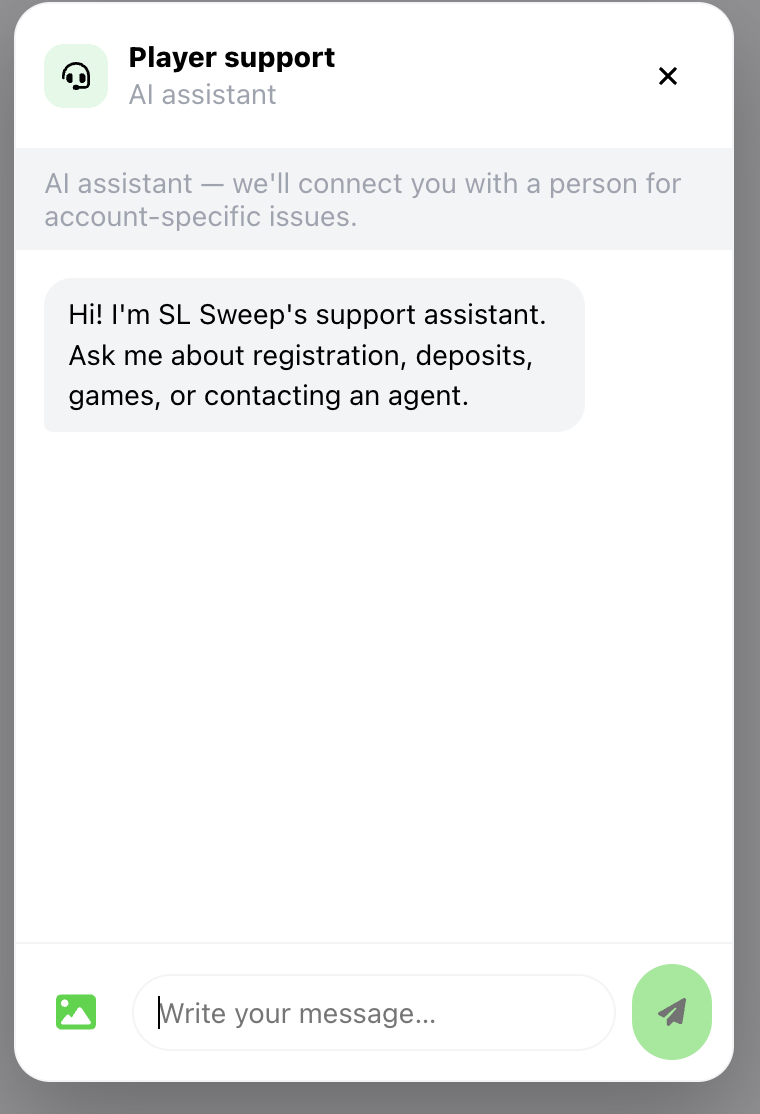
Find answers, review common questions and access the support options available to you without leaving the SL Sweep player experience.
?
Quick answers Start with FAQs and common help topics when you need straightforward guidance.
In-app assistance Use the support tools available inside your SL Sweep account for player questions.
Contact support Reach the SL Sweep support area when your question needs additional assistance.
SL Sweep player support screen
Need help? Start from your account
Player Support Answers in one place
Player Experience

What players value.

The SL Sweep experience is designed around simple access, clear account controls and keeping the tools players need within reach.

Having my games and balance in the same player experience makes everything easier to follow.
P
SL Sweep Player Player feedback
The dashboard keeps the main actions clear, so I can get where I need to go quickly.
P
SL Sweep Player Player feedback
It is useful having account settings, activity and support available from one place.
P
SL Sweep Player Player feedback
I can browse the game floor and get to the game tools I need without a complicated process.
P
SL Sweep Player Player feedback
The layout feels straightforward and the support options are easy to find when I need help.
P
SL Sweep Player Player feedback
Designed around simpler player access. Explore SL Sweep for yourself and see how the player experience works.
Open SL Sweep
FAQs

Questions? Start here.

Get quick answers about your SL Sweep account, game access, adding funds, cashing out and player support.

SL Sweep is a player-focused platform that brings account access, balances, supported games and other player tools into one connected experience.
Open SL Sweep and choose Create Account. Follow the account setup steps shown on screen and provide the requested player information.
The SL Sweep game floor can include GameVault, LasVegas Sweeps, Milky Way, Orion Stars, CashFrenzy and FireKirin. Check your account for the games currently available to you.
From your SL Sweep dashboard, select Add Funds, enter the amount you want to add, review the options shown to you and follow the steps on screen.
Open the Cash Out area in your SL Sweep account, review the eligible balances and available cash-out options, then continue through the steps shown on screen.
You can review the FAQs, use the support options available inside your SL Sweep account or visit the Contact Us page when you need additional help.
Ready When You Are

Your SL Sweep experience starts here.

Create your player account, explore available games and manage the tools you need from one connected SL Sweep experience.

One player account
Player tools in one place
Support within reach
SL Sweep
SL Sweep Player experience
Ready
+
Add Funds From your dashboard
G
Game Floor Browse supported games
Cash Out Review available options
?
Support Help when you need it
Built for players Simple. Clear. Connected.